-
Type:
Bug
-
Resolution: Duplicate
-
Priority:
 Normal
-
None
-
Affects Version/s: 2013-03-25
-
Component/s: Release editor
-
None
I did the following:
- open a release group (in this case, 2f2907a8-acc6-454d-85ab-53fc6f771f02)
- add a release
- use the existing release's track list as a template
- add two tracks
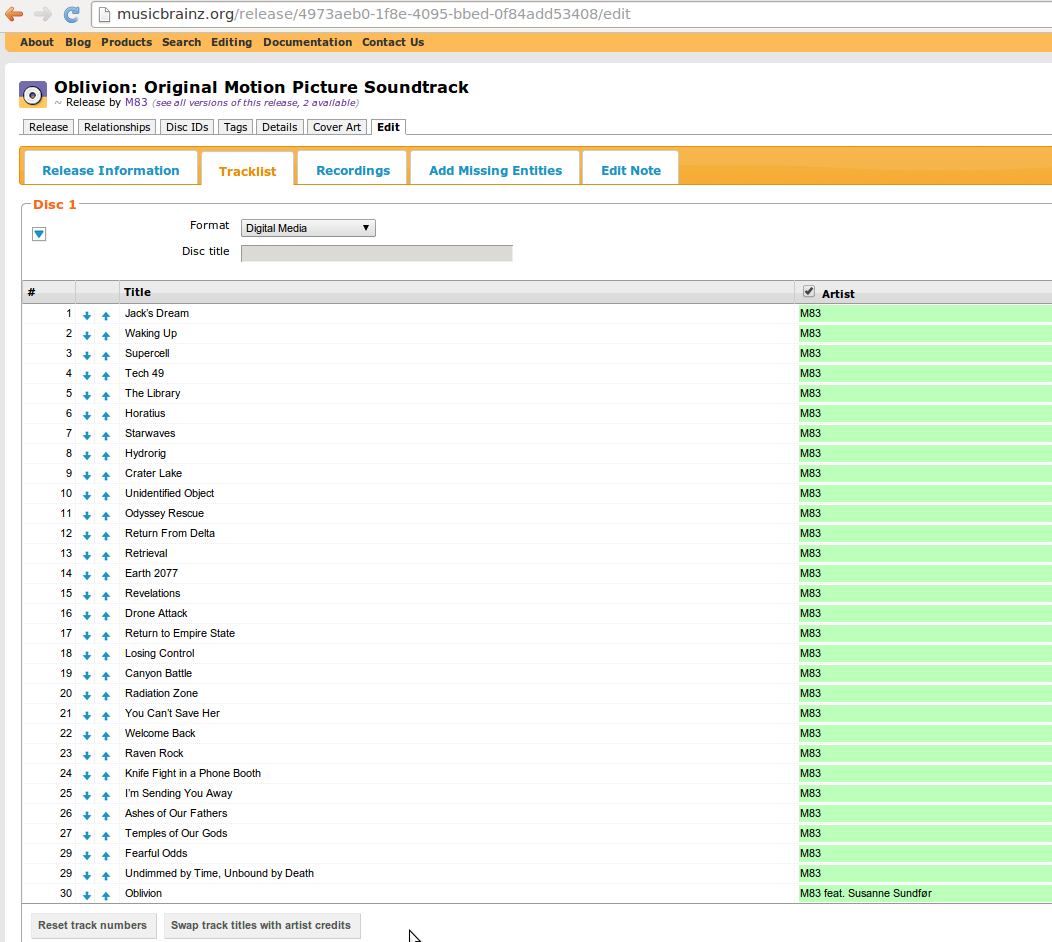
- move the tracks to their correct position, using the green arrow buttons
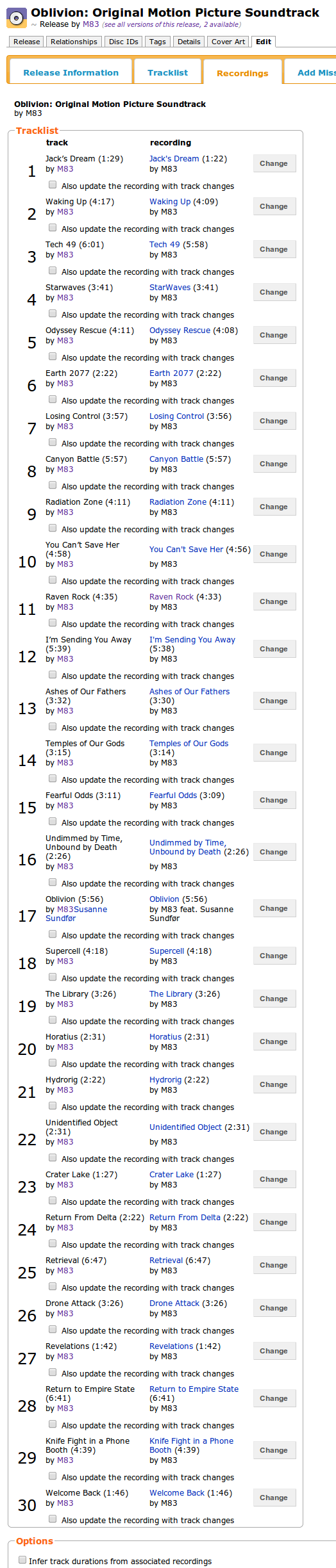
- save the result (note that the step where I associate recordings has the new tracks at the end, mis-numbered)
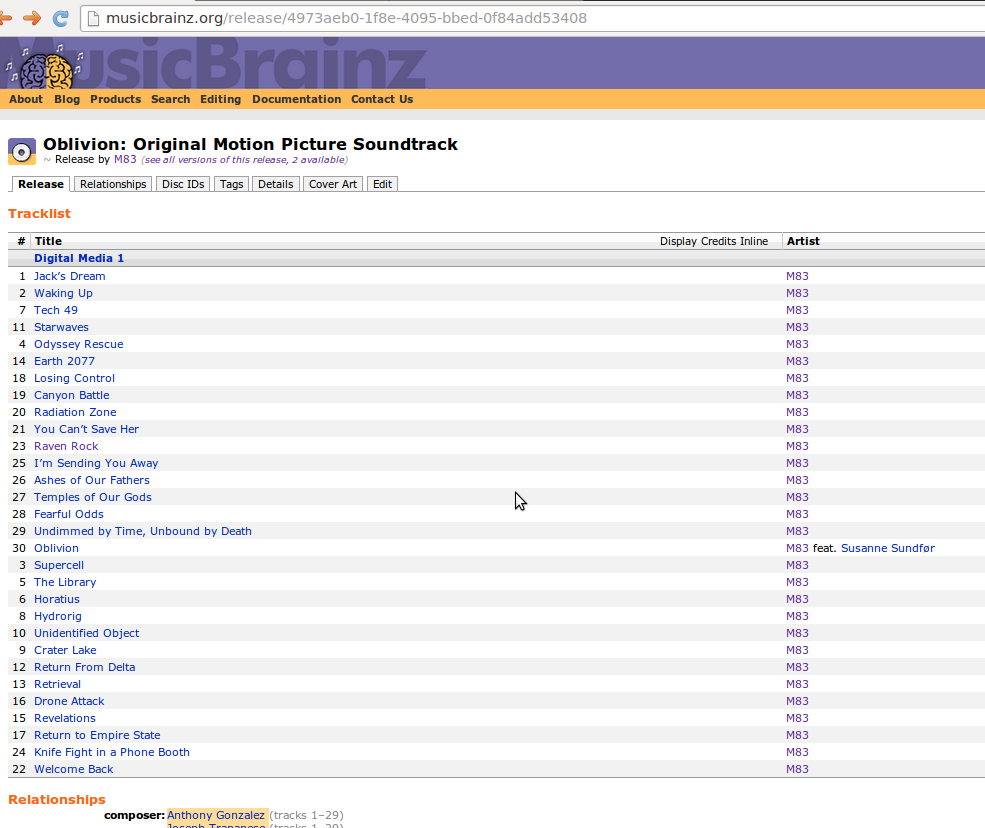
If you now look at http://musicbrainz.org/release/75741535-c84e-414d-9ee9-ff2adfd3618f, you see that the tracks are not sorted by track number.
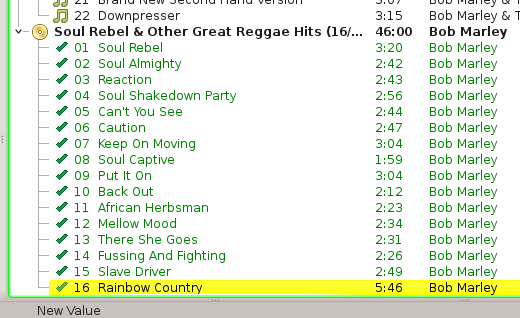
Worse, this affects export to Picard: export is ordered as shown, not by track ID. The result looks like in the attached image and causes recordings to be misfiled!
- duplicates
-
-
- Closed
-